Introduction — What Is the Google Pixel January 2026 Update?
January 2026 marks the first major Google Pixel monthly software update of the year. As with most Pixel updates, this release focuses on fixing bugs, improving performance, enhancing stability, and delivering monthly security patches — rather than rolling out big new features.
The update began its phased rollout in mid-January 2026 and is intended for almost all modern Pixel devices running Android 16.
Devices Receiving the January 2026 Update
The January 2026 update is confirmed to reach the following Pixel models:
-
- Pixel 7a
-
- Pixel Tablet
-
- Pixel Fold
-
- Pixel 8, 8 Pro, 8a
-
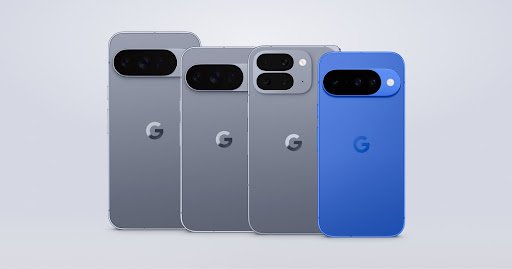
- Pixel 9, 9 Pro, 9 Pro XL, 9 Pro Fold, 9a
-
- Pixel 10, 10 Pro, 10 Pro XL, 10 Pro Fold
NOTE: Some older models like the Pixel 6/6 Pro, Pixel 7, and Pixel 7 Pro are not yet receiving the January update — likely due to staggered support schedules — although they remain officially supported with security patches
Key Improvements in the January 2026 Update
1. Battery & Performance Enhancements
-
- Fixes a battery drain issue that could reduce daily battery life on several recent Pixel models.
-
- General system stability improvements to improve long-term performance.
2. GPU & Display Fixes
-
- Resolved flickering on the Always-On Display (AOD), especially on the Pixel 10 lineup.
-
- Graphics performance improvements to reduce glitches while gaming or editing photos.
-
- Fixes for noisy lines during HDR photo edits in apps like Adobe Lightroom.
3. Touchscreen & UI Bug Fixes
-
- Fixes for touchscreen unresponsiveness that affected certain devices under specific conditions.
-
- Resolved an issue where deleting Live Universe wallpapers could break the Wallpaper & Style app until reboot.
-
- Fixes for noisy ringback tones during calls over some conferencing apps (e.g., Webex).
4. Security Patches
As with all monthly updates, January’s package includes the latest Android security patches for vulnerabilities and exploits, improving device safety and resilience to threats.
Update Size & Version Info
-
- The January 2026 update is relatively small typically around 7–8 MB for most devices.
-
- The update build for many regions is BP4A.260105.004, though exact build numbers may vary by region and carrier.
How to Install the January 2026 Update
To check for the update manually:
-
- Open Settings on your Pixel.
-
- Go to System → System update.
-
- Tap Check for update.
-
- If available, follow the on-screen instructions to download and install.
Because of the staggered rollout, it may take a few days before it appears on your device.
FAQs
Why hasn’t my Pixel 6 or Pixel 7 received the update?
Some models like the Pixel 6/7 series may not get the January 2026 update due to update scheduling differences and existing patch timing, even though they remain supported overall.
Does this update add new features?
No major new features — mostly bug fixes, stability refinements, and security patches.
Will this fix ongoing performance issues?
Yes, the update includes improvements that should reduce crashes, fix touch issues, and improve battery life.
Conclusion
The Google Pixel January 2026 update is a maintenance-focused software release that:
 Fixes battery drain and touchscreen bugs Improves GPU and display performance Resolves minor UI and audio quirks Delivers the latest security patches
This update highlights Google’s commitment to refining the Pixel experience early in the year — even when big new features aren’t released.